
Keyboard theme preview
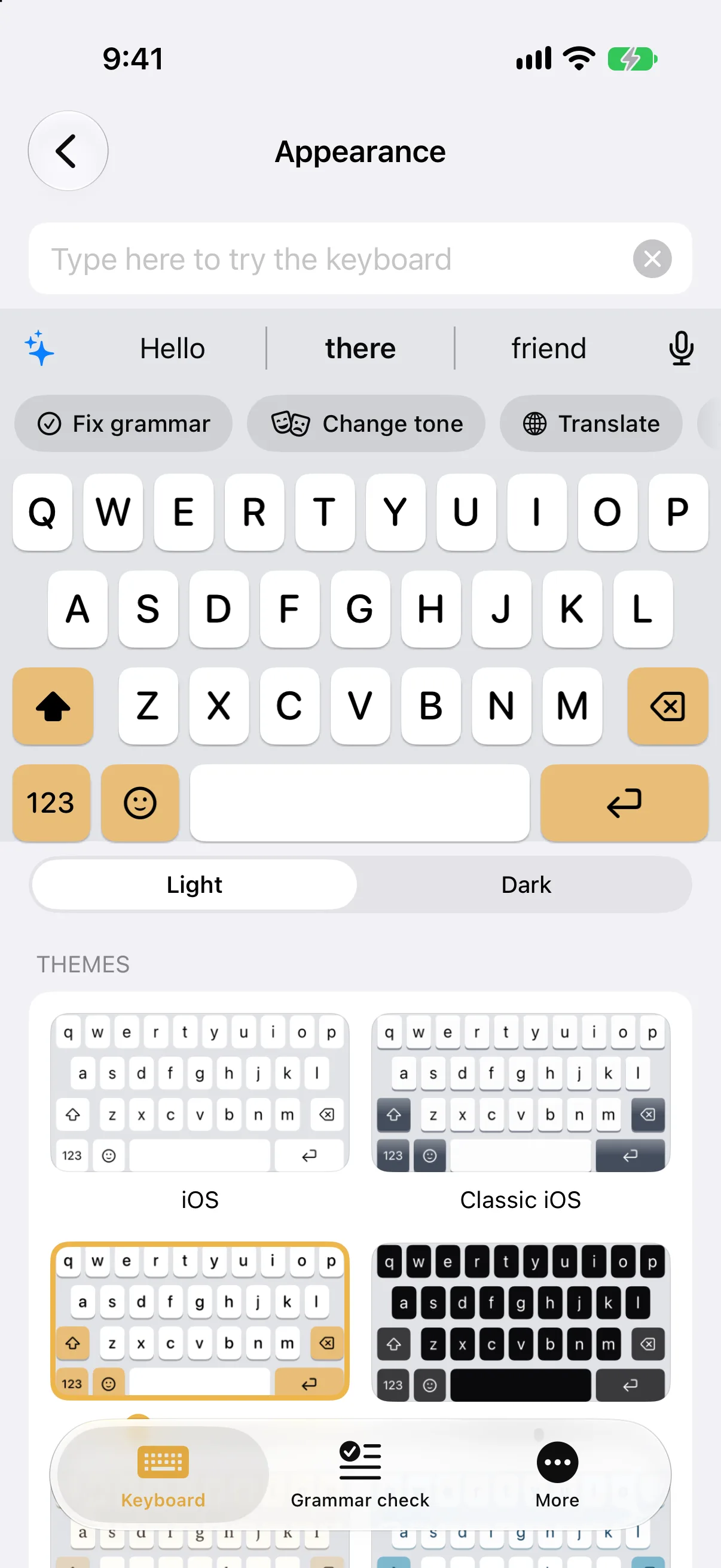
Pick one of the CorrectMe keyboard's built-in themes, switch between light and dark, and try your own colors on a live keyboard.
- Runs in your browser
- Nothing you type is sent
- No account
This free tool is made by CorrectMe, an AI keyboard app for iPhone by Teleprompter LLC. It shows the CorrectMe keyboard’s 8 built-in themes in light and dark mode and lets you try your own key, label and background colors before you set them in the app.
What you can try
- Theme: the eight built-in themes, in the order the app’s gallery shows them.
- Appearance: light or dark, as your iPhone would be set.
- Your colors: the color of letter keys and the space bar, of special keys (shift, delete, 123, emoji and return), of every key label, and of the background. Reset colors goes back to the theme’s own.
Under the picture, the page tells you the contrast between labels and letter keys. Below 4.5:1, small text is hard to read for many people. Every built-in theme reaches at least 4.5:1, and the app’s theme editor warns you below 3:1.
The built-in themes
| Theme | Key shape | Font | Light and dark |
|---|---|---|---|
| iOS | Raised, no shadow | System | Separate looks |
| Classic iOS | Glossy | System | One look |
| CorrectMe | Raised | Rounded, medium | Separate looks |
| Midnight | Flat | System | One look |
| Paper | Raised | Serif | One look |
| Ocean | Raised | System | Separate looks |
| Sunset | Raised | Rounded, medium | Separate looks |
| Mint | Raised | System | Separate looks |
How the picture is drawn
The page reads the keyboard’s own theme files and draws keys the way the keyboard does:
- Fill and label colors for letter keys and special keys, from the theme’s light or dark look.
- Corner radius in points, as stored in the theme.
- Shape: raised keys get a hard one-point shadow in the theme’s shadow color; flat keys get none; glossy keys are raised keys with a white sheen fading out halfway down and a thin highlight along the top.
- Font: system, rounded, serif or monospaced, at the theme’s weight.
- Background: every built-in theme leaves its background see-through, so iOS’s own keyboard gray shows behind the keys. The page draws that gray for light or dark. A background color you pick is solid.
The keys are the US English letters page for an ordinary text field: three rows of letters with shift and delete, then 123, emoji, space and return. On a real iPhone the number row, the bars above the keys and some keys change with your settings and the app you type in.
Limits
- Pressed key colors, pop-ups and the bars above the keys are not shown.
- Gradient and photo backgrounds, which you can make in the app, are not offered here.
- The letters use your browser’s fonts, which can differ a little from Apple’s.
Nothing is saved or sent
The preview runs in your browser. The colors you pick are not sent anywhere or stored, and they reset when you reload the page.
Make it your keyboard
In the CorrectMe app, themes go further than this page: separate light and dark looks, gradients, a photo of your own behind the keys, key shape and font. The guide to changing your iPhone keyboard theme walks through it.
Questions
- Is this exactly what the keyboard looks like?
- The colors, corner radius, key shadow, shape and font style come straight from the app's theme files. The keyboard's own fonts and icons are Apple's, so letters and symbols look slightly different in your browser, and on iOS 26 and later the system's glass behind the keys tints a little with what is under it.
- Why does dark change only the background for some themes?
- Classic iOS, Midnight and Paper have one look for both. The keys stay the same in dark mode, and only the system keyboard gray behind them follows your iPhone's appearance.
- Can I save the colors I pick here?
- No. This page saves nothing. Note the colors, then build the theme in the CorrectMe app under Appearance, where the theme editor has the same colors and more.
- Are themes free in the app?
- Yes. The built-in themes and the theme editor are free.