
Get CorrectMe on your iPhone
CorrectMe, the AI keyboard app for iPhone by Teleprompter LLC, is free on the App Store and needs iOS 17 or later. Setup takes about a minute, and the app walks you through it.
On a computer? Point your iPhone camera at the code to open CorrectMe in the App Store.
What you need
-
An iPhone with iOS 17 or later.
-
An internet connection and Full Access for AI actions in the cloud and dictation. Typing, autocorrect, themes and emoji search work offline, without Full Access.
-
Pro, if you want dictation and unlimited AI actions. See pricing.
The app is called CorrectMe Grammar AI Keyboard on the App Store. It is for iPhone; there is no Android version. Password fields always use Apple’s keyboard, as with every third-party keyboard.
Free with the download
These cost nothing. Pro adds dictation and unlimited AI actions when you want them.
- Typing and predictive text
- Autocorrect in 9 languages
- Themes
- Emoji search
- My info
- 20 AI actions a day
Set it up
Download CorrectMe
Get it free from the App Store and open it.
Turn on the keyboard
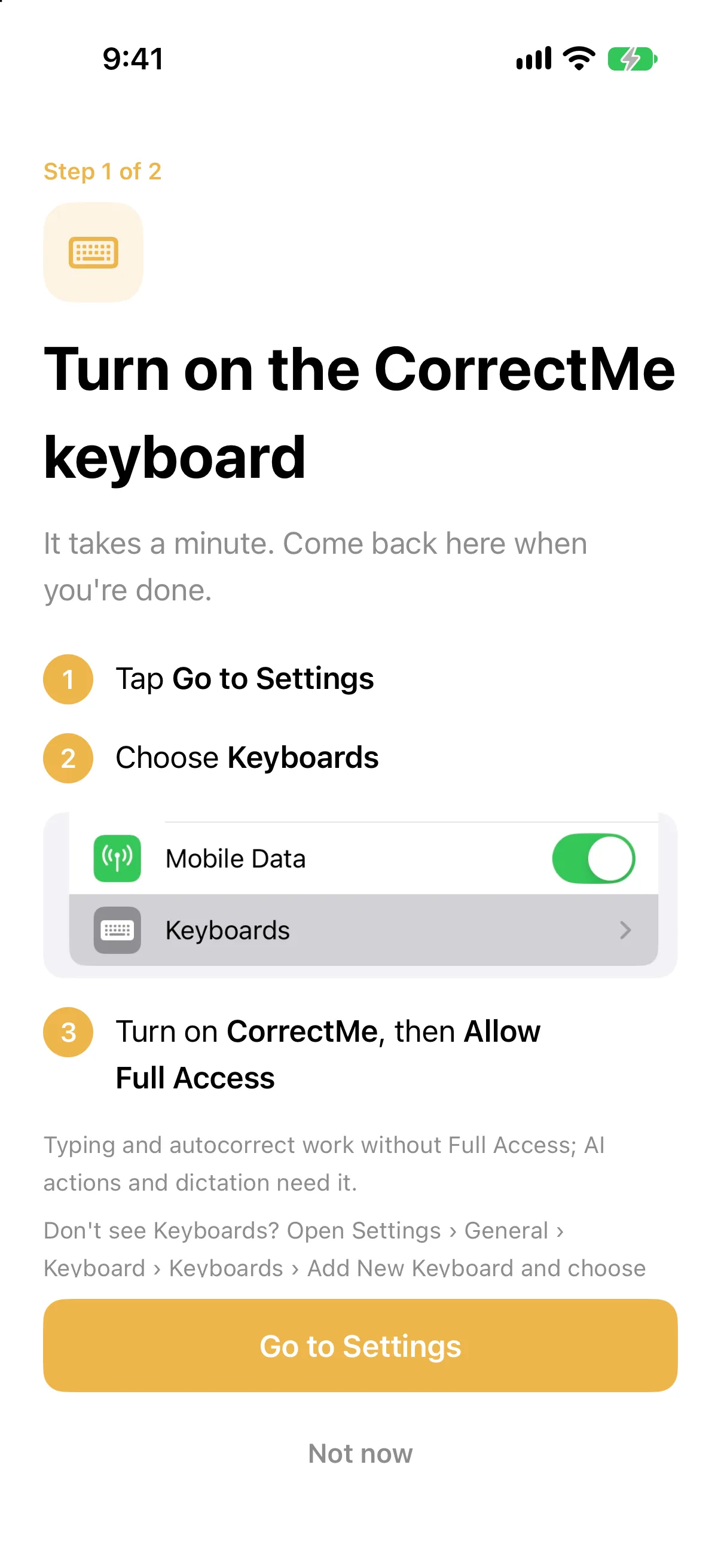
The app shows a setup card. Tap Go to Settings, choose Keyboards and turn on CorrectMe. If you don’t see Keyboards, open Settings > General > Keyboard > Keyboards > Add New Keyboard and pick CorrectMe.
Allow Full Access
In the same place, turn on Allow Full Access. Typing and autocorrect work without it; AI actions and dictation need it, because iOS only lets a keyboard reach the internet with Full Access on.
Switch to CorrectMe and try it
Back in the app, tap the text field, then tap and hold the globe key and select CorrectMe. Type a few words; the setup card turns into “Try the keyboard” once the app sees CorrectMe working.
For dictation, allow the microphone
Dictation is part of Pro. In the app’s Keyboard tab, open Dictation and tap Allow microphone. iOS asks for this in the app, because a keyboard cannot show the prompt itself.
Put CorrectMe on your iPhone
Free to download. Works in every app you type in. Needs iOS 17 or later.