
AI actions, right on the keyboard
Select some text, or none to use the whole field, and tap an action. CorrectMe shows the result above the keys, and you choose whether it replaces your text.
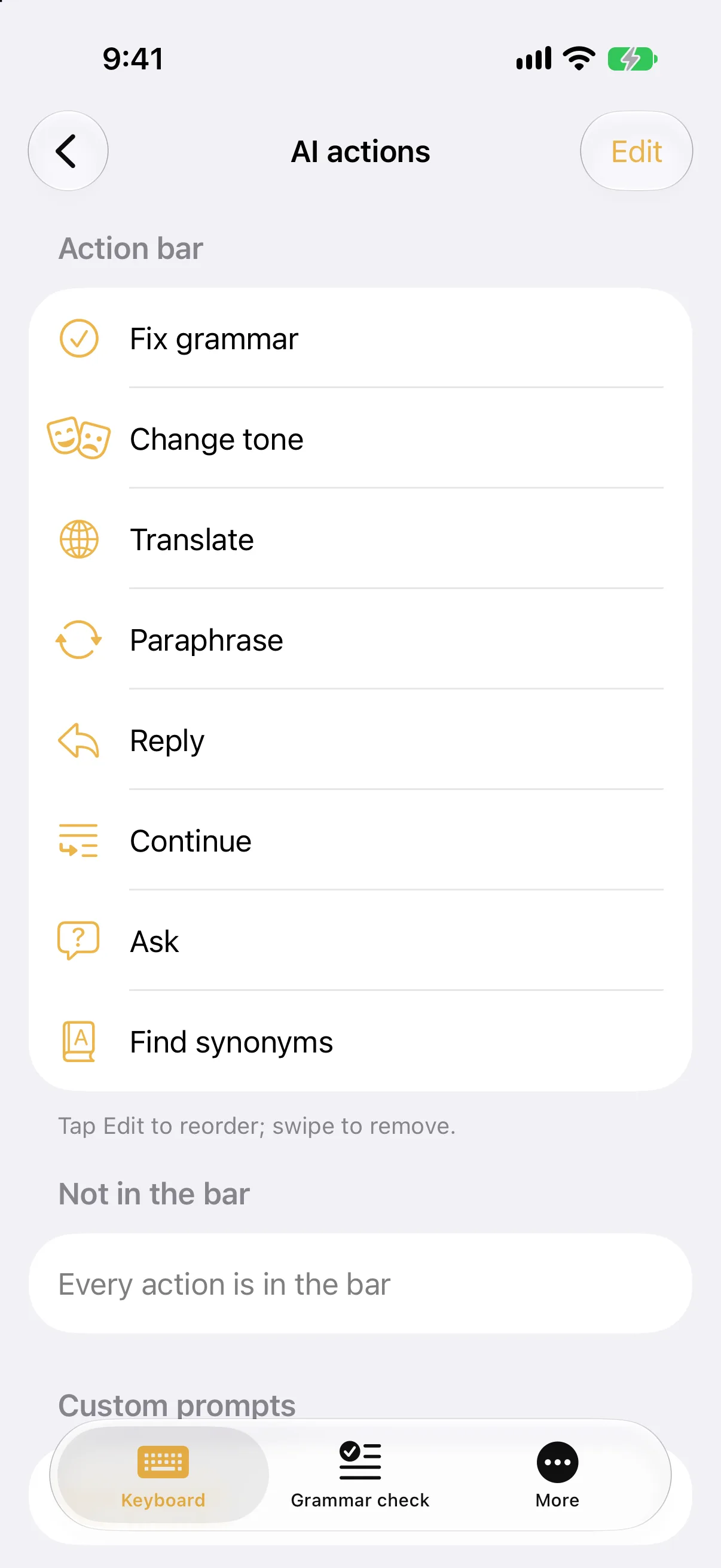
CorrectMe, an AI keyboard app for iPhone by Teleprompter LLC, has eight built-in AI actions: Fix grammar, Change tone, Translate, Paraphrase, Reply, Continue, Ask and Find synonyms. They work on what you type in any app, and you get 20 cloud AI actions a day free, or unlimited with CorrectMe Pro.
Which AI actions does CorrectMe have?
| Action | What it does |
|---|---|
| Fix grammar | Corrects grammar, spelling and punctuation and shows each change. |
| Change tone | Rewrites your text in one of 12 tones, from Friendly to Sarcastic. |
| Translate | Translates into one of 25 languages and variants. |
| Paraphrase | Says the same thing in different words. |
| Reply | Writes a short reply to the text. |
| Continue | Keeps writing from where your text ends. |
| Ask | Answers a question you typed. |
| Find synonyms | Gives one fitting synonym for a word or phrase. |
You can also write your own actions, called custom prompts, in the app.
Where the actions are
The action row above the keys holds the actions as pills. The AI button at the left of the suggestion bar opens a grid of every action, including the ones you took out of the row. In landscape the action row folds into the AI button’s menu unless you keep it under Bars in the app.
In the app’s AI actions screen you can reorder the row, remove actions from it, add them back, and put your custom prompts in it. Under Bars you choose whether pills show an icon and label, the icon only, or the label only.
Reading the result
The result appears in a panel above the keys while it is being written. Fix grammar shows a word-by-word comparison, so you can see what changed; if nothing needed fixing it says so. Every result has the same buttons: Replace, Insert, Copy, Regenerate and Close. Nothing changes in your text until you tap Replace or Insert.
Where does the AI run?
On iPhones running iOS 26 or later where Apple’s on-device model is available, CorrectMe tries that model first, as long as it supports the language of your text and the text is short enough for it. If it cannot do the job and Full Access is on, the request goes to CorrectMe’s cloud service instead. On earlier iOS versions, actions run in the cloud.
Actions that run on the device never count toward the daily limit. Cloud actions need Full Access and a connection; your text is sent only when you tap an action, never while you type.
How many AI actions can you run?
Free users get 20 cloud actions a day; when they are used up, the keyboard says so and offers an upgrade. Pro ($59.99 a year with a 7-day free trial, or $9.99 a month) makes AI actions unlimited. Text can be up to 20,000 characters.
Run an AI action
Write or select text
With text selected, the action works on the selection. With nothing selected, it works on everything in the field.
Tap an action
Tap it in the action row above the keys, or tap the AI button at the left of the suggestion bar to see every action.
Pick an option if asked
Change tone asks for a tone and Translate for a language. The other built-in actions start straight away.
Use the result
Tap Replace to swap your text for the result, Insert to add it after your text, Copy, or Regenerate for another try.
Questions
- Is it free?
- You get 20 free AI actions a day that run in the cloud. Actions that Apple's on-device model handles do not count. Pro removes the daily limit.
- Do AI actions need Full Access?
- The cloud needs Full Access. Without it, actions run only when Apple's on-device model can handle them; otherwise the keyboard tells you how to turn Full Access on.
- Can I undo a Replace?
- Yes. After Replace or Insert, an Undo button appears in the suggestion bar. It stays until you type or start something else.
- Do AI actions work in password fields?
- No. In password, username and one-time code fields there is no AI button, and nothing is read or sent.
- How long can the text be?
- Up to 20,000 characters. For longer text, select the part you want to work on.
- Which AI actions does CorrectMe have?
- Eight built-in ones: Fix grammar, Change tone, Translate, Paraphrase, Reply, Continue, Ask and Find synonyms. You can add your own as custom prompts.