
A German keyboard for iPhone with umlaut keys and autocorrect
CorrectMe types German on a QWERTZ layout with its own ü, ö and ä keys, and corrects typos from a German dictionary on your iPhone.
Ich habe heute keine Zeot.
Ich habe heute keine Zeit.
CorrectMe, an AI keyboard app for iPhone by Teleprompter LLC, includes a German keyboard with its own layout, dictionary and autocorrect. German typing and autocorrect are free, run on your iPhone without Full Access, and work alongside the other 8 keyboard languages without switching keyboards.
The layout
The German layout is QWERTZ, the arrangement of German computer keyboards: z in the top row and y at the start of the bottom row. It has three more letter keys than the English layout:
- ü at the end of the top row
- ö and ä at the end of the middle row
ß is on a long press of s, first in its list. Other accented letters, such as é or à for loanwords and names, are on a long press of their base letter.
The numbers page has € on the currency key, and holding the quotation mark key offers the German quotes „ and “ along with » and «.
Autocorrect for German
CorrectMe’s German dictionary ships inside the app, and autocorrect runs on your iPhone. The word list combines an open-source German dictionary with word forms counted from German web text, so it includes the inflected forms people actually write.
Autocorrect weighs where keys sit on the layout. A slip onto a neighboring key, a doubled letter or two swapped letters costs less than an unrelated mistake, so “Zeot” becomes “Zeit” rather than some other word. A missing umlaut counts as a small slip as well. When autocorrect is not confident, it shows the word in the suggestion bar instead of replacing what you typed, and predictions complete the word you are typing.
Words you type often, such as names and work terms, are learned and left alone. You can see and edit them in the app under Keyboard > Typing > Autocorrect languages > Learned words.
German and English together
Enable German and English together and CorrectMe checks every word against both dictionaries. A word that is correct in either language is kept, and autocorrect leans toward the language you have been writing in. That keeps “Meeting” or “Deadline” intact in a German message. If you only want corrections in one language, turn the other one off under Typing > Autocorrect languages.
When more than one language is enabled, the space bar shows which layout is on screen, such as DE or EN.
Emoji search in German
The emoji search finds emoji by German keywords as well as English ones. It ignores accents and umlauts, so “herz” finds hearts whether or not you type it with a capital.
Add German to CorrectMe
Turn on the keyboard
In Settings, go to General > Keyboard > Keyboards > Add New Keyboard and choose CorrectMe.
Open the Languages screen
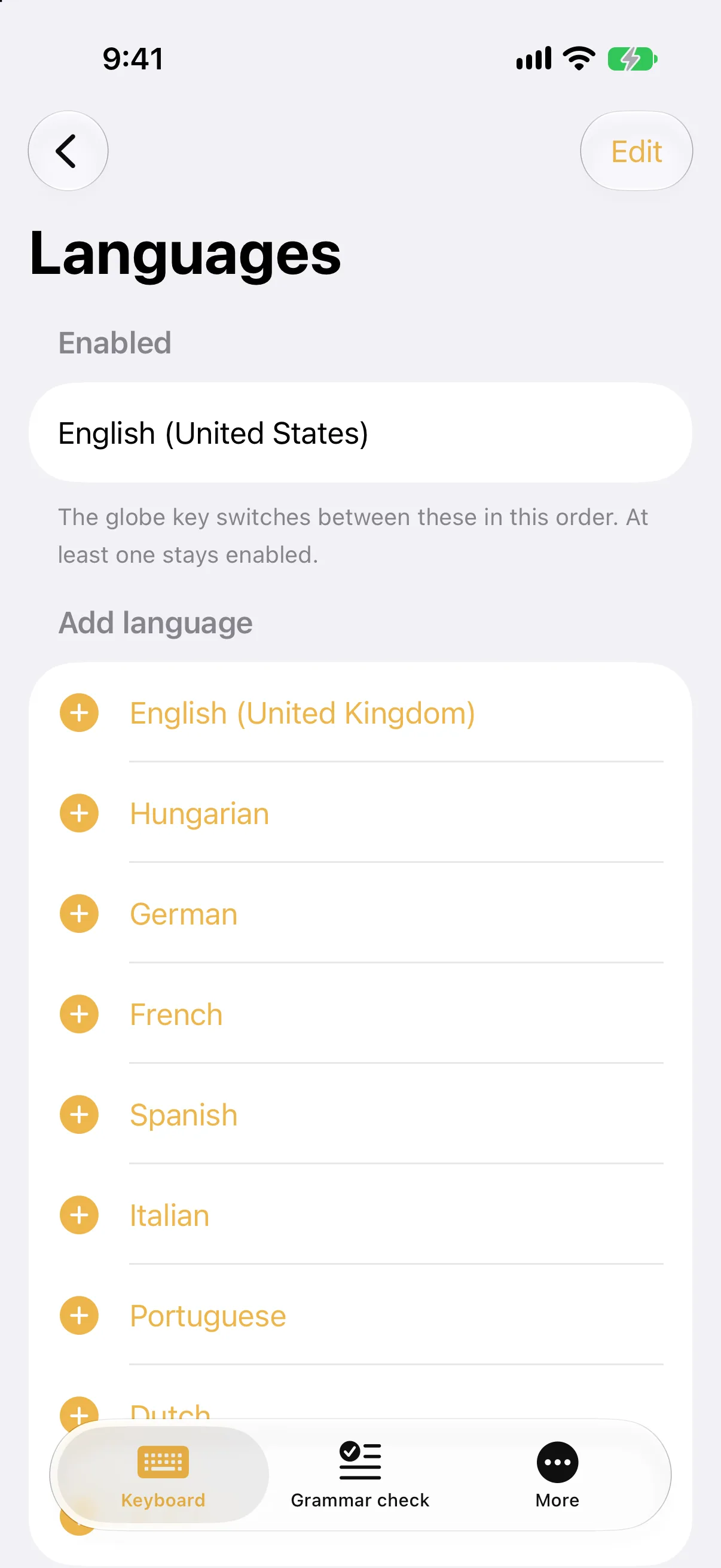
In the CorrectMe app, open the Keyboard tab and tap Languages.
Add German
Under Add language, tap German. It joins the Enabled list.
Choose the first layout
To open the keyboard on German, set Shown first to German. Drag the rows to change the order.
Questions
- Where is ß?
- Hold the s key. ß is the first letter in its list.
- Does the German layout have umlaut keys?
- Yes. ü is at the end of the top row, and ö and ä are at the end of the middle row, as on a German computer keyboard.
- Can I write German and English in the same message?
- Yes. Enable both languages and autocorrect accepts words from either dictionary, so an English term in a German sentence stays as you typed it.
- Does German autocorrect need Full Access?
- No. Typing, autocorrect and predictions work without Full Access. AI actions and dictation need it.
- Can CorrectMe translate into German?
- Yes. German is among the 25 target languages of the Translate AI action. Translate also reads text in any language, so you can turn German text into any of the other target languages.
- Is the German keyboard free?
- Yes. Typing and autocorrect in German are free in CorrectMe. CorrectMe Pro, $59.99 a year or $9.99 a month, adds dictation and unlimited AI actions.