
What Allow Full Access means, and whether it is safe
Allow Full Access is the iPhone setting that lets a third-party keyboard such as CorrectMe reach the internet and share data with its own app. Whether it is safe depends on the keyboard's developer; iOS keeps every keyboard out of password fields either way.
Allow Full Access is safe to turn on for a keyboard whose developer you trust, and unnecessary for a keyboard you only use to type. It lets the keyboard use the network, so the keyboard could send what you type; it never lets a keyboard into password fields or phone number pads. For CorrectMe, an AI keyboard app for iPhone by Teleprompter LLC, Full Access is needed only for AI actions that run in the cloud and for dictation.
What a keyboard can do without Full Access
iOS runs every third-party keyboard in a tight sandbox. With Full Access off, which is the default, a keyboard can draw its keys, type into the field you are in and read the text around the cursor so it can offer corrections. It cannot connect to the internet, so anything it does happens on your iPhone.
For many keyboards that is enough. Typing, autocorrect and word predictions can all work this way when the dictionary is part of the app.
What Full Access adds
Apple’s developer documentation, Configuring open access for a custom keyboard, describes what changes when you allow it. The keyboard can:
- use the network, for example to send text or speech to a server for processing
- share data with its own app through a shared container, such as settings and learned words
- use the pasteboard, so it can offer to paste what you copied
- use some other system services, such as location, each with its own permission
When you turn the switch on, iOS warns you that the keyboard’s developer could then transmit anything you type, and that this could include sensitive details like card numbers or addresses. That warning describes what becomes technically possible, not what a particular keyboard does. What the keyboard actually sends is up to its developer, which is why its privacy policy matters.
What stays off either way
Some limits apply to every third-party keyboard, with or without Full Access:
- Password and other secure fields always use Apple’s keyboard.
- Phone number pads use Apple’s keypad.
- Any app can refuse third-party keyboards entirely.
Is Allow Full Access safe?
The switch itself is an iOS setting, and turning it on or off is safe: nothing is deleted, and you can change it at any time. The question is whether you trust the keyboard’s developer with what you type, because with Full Access on, iOS no longer stops the keyboard from sending it.
A few checks make the decision smaller:
- Turn it on only for features you want. If you only need typing and autocorrect, a keyboard that does those on the phone works with Full Access off.
- Read what the developer says it sends. A clear privacy policy names what leaves your iPhone, when, and where it goes.
- Look for features that send only on request. A keyboard that sends text only when you tap a button is easier to reason about than one that sends while you type.
- Remember the fixed limits. Even with Full Access, password fields and phone number pads use Apple’s keyboard.
If you change your mind, flip the switch off. The keyboard keeps working with whatever does not need the network.
How to decide
Turn Full Access on when a feature you want needs it, and only for a keyboard whose developer you trust with what you type. Check what the app says it sends and when. If you only want typing and autocorrect, a keyboard that works without Full Access is the smaller trust decision.
What CorrectMe does with Full Access
CorrectMe’s typing, autocorrect and predictions work without Full Access. Its dictionaries are part of the app, so spell checking happens on your iPhone.
| Feature | Needs Full Access | What leaves your iPhone |
|---|---|---|
| Typing, autocorrect, predictions | No | Nothing |
| Emoji search | No | Nothing |
| Themes, including photo backgrounds | No | Nothing; the photo stays on your iPhone |
| My info | No | Nothing |
| AI actions | For the cloud only | The text you run the action on, when you tap it |
| Dictation (CorrectMe Pro) | Yes | Your audio, only while you dictate |
| Haptics | Yes | Nothing |
On iPhones with iOS 26 or later where Apple’s on-device model is available, CorrectMe tries AI actions on the phone first, and those work without Full Access. With Full Access on, learned words are also kept where the CorrectMe app can list them.
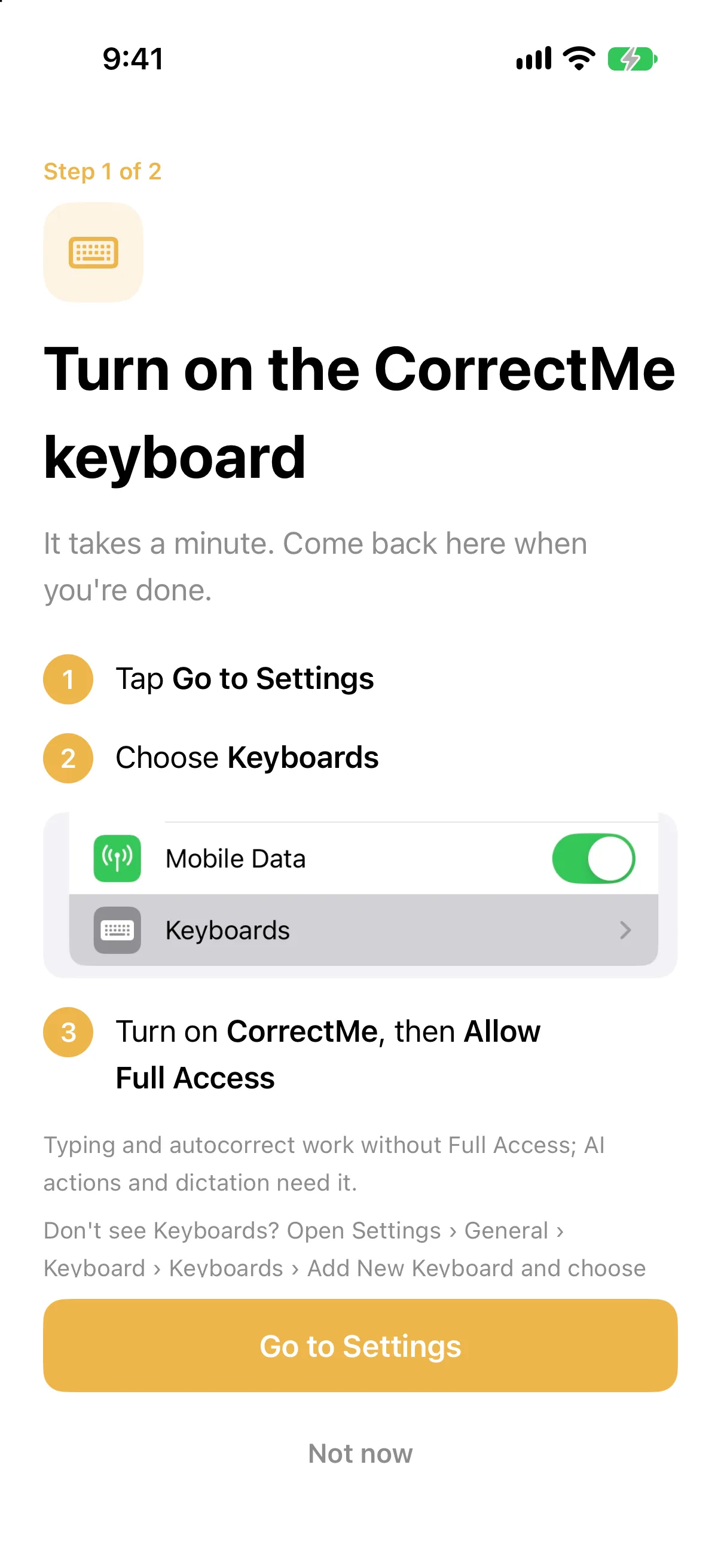
In the CorrectMe app, the setup card on the Keyboard tab includes Allow Full Access and try it. It shows where the switch is and opens Settings for you: on CorrectMe’s page, choose Keyboards and turn on Allow Full Access. Because iOS does not let an app read the switch directly, CorrectMe marks this step done once the keyboard has appeared with Full Access on. The privacy page lists exactly what is sent and where.
Apple’s own steps for managing keyboards are in Add or change keyboards on iPhone on Apple Support.
Turn Allow Full Access on or off
Open the Keyboards list
Open Settings and go to General > Keyboard > Keyboards.
Tap the keyboard's name
Choose the third-party keyboard. Apple's own keyboards do not have this switch.
Flip Allow Full Access
Turn the switch on. iOS shows a warning about what a keyboard with Full Access could do.
Confirm or cancel
Tap Allow to turn it on, or Don't Allow to leave it off. To turn it off later, come back and flip the same switch.
Questions
- Is it safe to allow Full Access for a keyboard?
- It is as safe as the keyboard's developer. Full Access makes it technically possible for the keyboard to send what you type, so turn it on only for a keyboard whose developer you trust and whose privacy policy says what is sent and when.
- Can a keyboard with Full Access see my passwords?
- No. iOS always uses its own keyboard in password and other secure fields, whatever you allow. A third-party keyboard is never active there.
- Does turning Full Access off delete anything?
- No. The keyboard keeps working with the features that do not need it. You can turn Full Access back on at any time.
- Why does a keyboard need Full Access for AI or dictation?
- Those features run on a server, and without Full Access a keyboard cannot use the network at all.
- Does CorrectMe work without Full Access?
- Yes. Typing, autocorrect, predictions, emoji search, themes and My info work without it. AI actions that run in the cloud and dictation need it.
- What does CorrectMe send when Full Access is on?
- Only the text you run an AI action on, when you tap the action and the phone cannot do it itself, and your audio while you dictate. Nothing is sent while you type.