
CorrectMe or SwiftKey?
SwiftKey is Microsoft’s free keyboard that learns how you type. CorrectMe is an AI keyboard that rewrites, translates and fixes your text.
Facts checked against each product’s own App Store listing on .
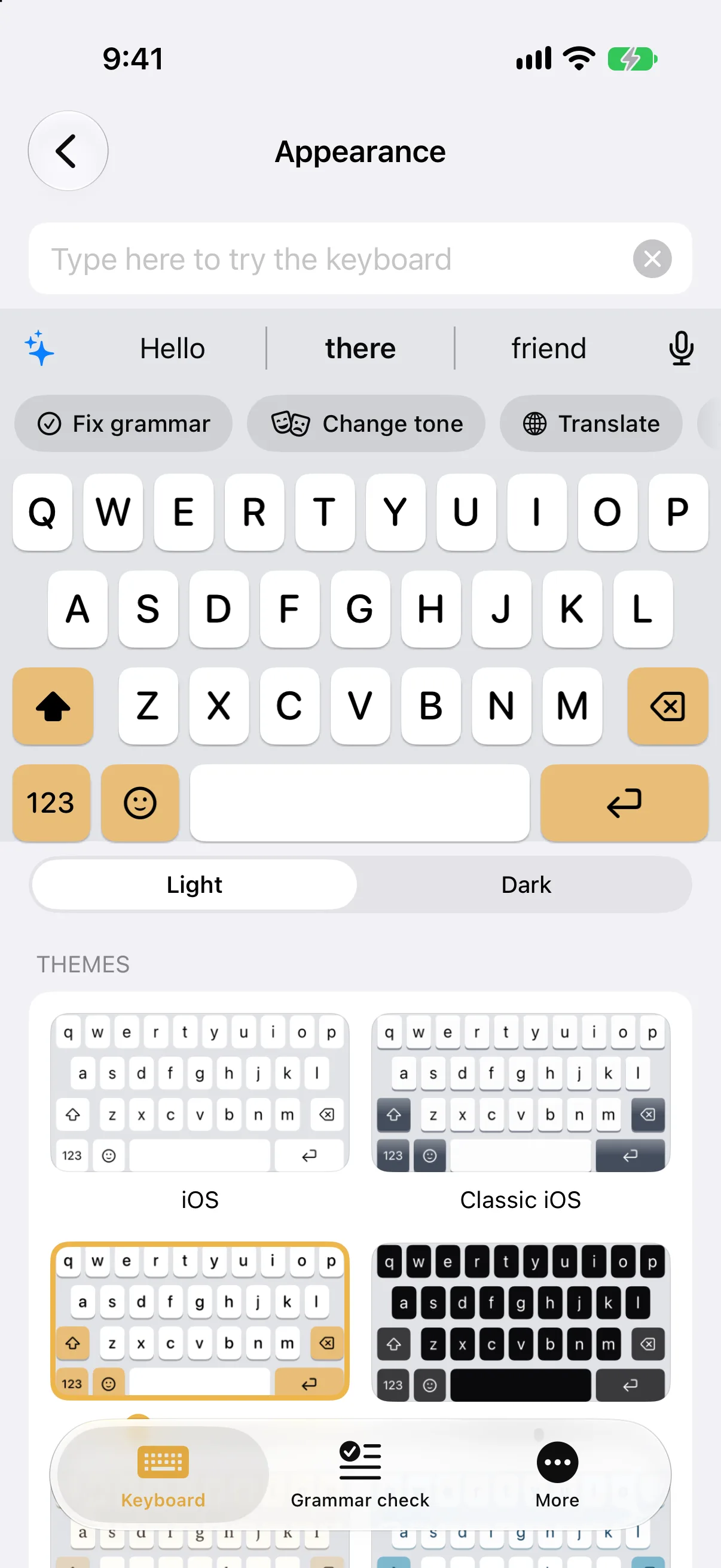
CorrectMe and Microsoft SwiftKey are both keyboards for iPhone that learn the words you use. SwiftKey’s App Store listing describes a free keyboard with swipe typing, GIFs and dozens of themes. CorrectMe, an AI keyboard app for iPhone by Teleprompter LLC, adds AI writing actions such as Fix grammar and Translate, autocorrect in 9 languages and, with Pro, dictation.
CorrectMe and SwiftKey at a glance
| CorrectMe | Microsoft SwiftKey | |
|---|---|---|
| Price | Free; Pro $59.99 a year (7-day free trial) or $9.99 a month | Free; listed in-app purchases are free themes |
| Autocorrect and predictions | Yes, in 9 languages | Yes, and its listing says it learns your writing style |
| Learns your words | Yes | Yes, including slang, nicknames and emoji |
| Swipe typing | Not offered | Yes |
| GIFs | No | Its listing mentions sending GIFs |
| AI writing actions | Fix grammar, change tone, translate, paraphrase, reply and more; 20 a day free, unlimited with Pro | Its listing mentions AI but does not describe specific writing actions |
| Dictation | Included in Pro | Its listing does not mention dictation |
| Themes | 8 built-in themes, a theme editor and photo backgrounds | Its listing says dozens of themes |
| Works on | iPhone, iOS 17 or later | iPhone and iPad, iOS 15.0 or later |
Facts about SwiftKey come from its own App Store listing, “Microsoft SwiftKey AI Keyboard” by TouchType Ltd, checked on the date above.
What is each keyboard for?
SwiftKey’s listing is about typing faster: a keyboard that adapts to your word choice and emoji use, with autocorrect and predictions, swipe typing or tap typing, an expandable toolbar of shortcuts, and dozens of themes. It also mentions that SwiftKey uses AI to help you text faster.
CorrectMe also learns your words and predicts the next one, but its focus is what you do with a message once it is typed. AI actions above the keys fix the grammar, change the tone, translate, paraphrase or draft a reply, and put the result straight into the text field. You can write your own custom prompts too. Dictation, part of Pro, turns speech into punctuated text.
When is SwiftKey the better choice?
- You want a free keyboard with no subscription.
- You prefer swipe typing.
- You want lots of ready-made themes to pick from.
- You send GIFs often.
- You use an iPad, or an iPhone that can’t run iOS 17: SwiftKey’s listing asks for iOS 15.0 or later.
When is CorrectMe the better choice?
- You want AI to fix or rewrite what you typed without copying it into another app.
- You write in two of CorrectMe’s nine languages, such as English and Hungarian, and want autocorrect for both.
- You want dictation with punctuation on the keyboard.
- You want to design your own theme or put a photo behind the keys.
Can you use both?
iOS lets you keep several keyboards and switch with the globe key, so you can try CorrectMe without giving up SwiftKey.
Questions
- Is SwiftKey free?
- Yes. Its App Store listing shows it as free; the in-app purchases it lists are themes priced at $0.00. CorrectMe is free too, with an optional Pro subscription.
- Which languages does SwiftKey support?
- Its App Store listing description does not list the languages you can type in. CorrectMe has its own keyboard for nine: English, Hungarian, German, French, Spanish, Italian, Portuguese, Dutch and Polish.
- Do both learn the words I use?
- Yes. SwiftKey’s listing says it learns your slang, nicknames and emoji. CorrectMe’s autocorrect picks up names, slang and work terms as you type and stops correcting them, and you can review those words in the app.
- Does CorrectMe have swipe typing?
- No. CorrectMe does not offer swipe typing. SwiftKey's listing includes it, so SwiftKey suits you better if you swipe.
- Does SwiftKey have AI writing actions like CorrectMe?
- Its App Store listing mentions AI but does not describe specific writing actions. CorrectMe has eight built-in ones, including Fix grammar, Change tone and Translate, with 20 free a day.